copick convert fil2seg
utils
Paint tubes around filaments into an instance segmentation.
Plugin command — copick-utils
This command is provided by the copick-utils plugin, not copick core. Install it to make this command available:
See the plugin system guide for details.
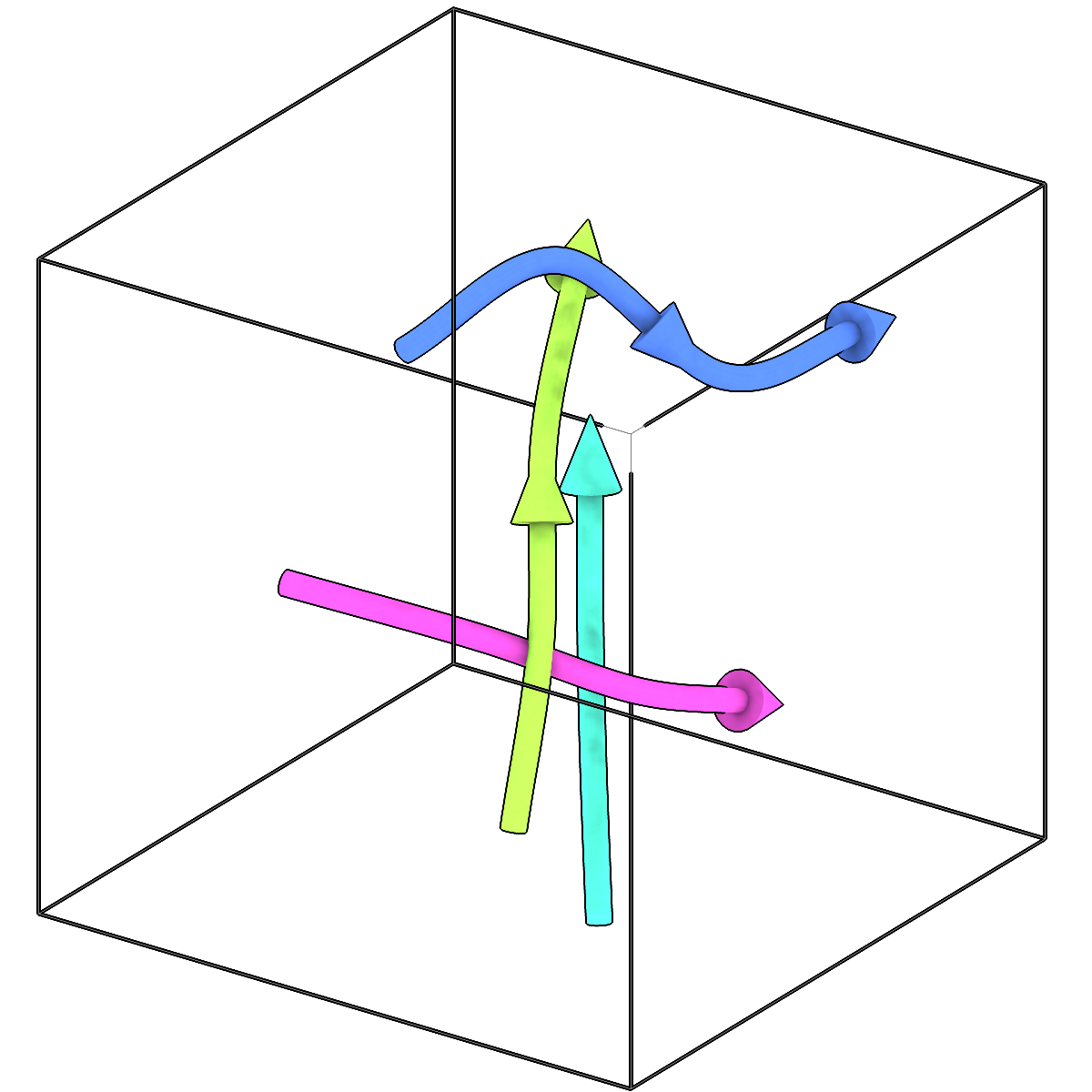
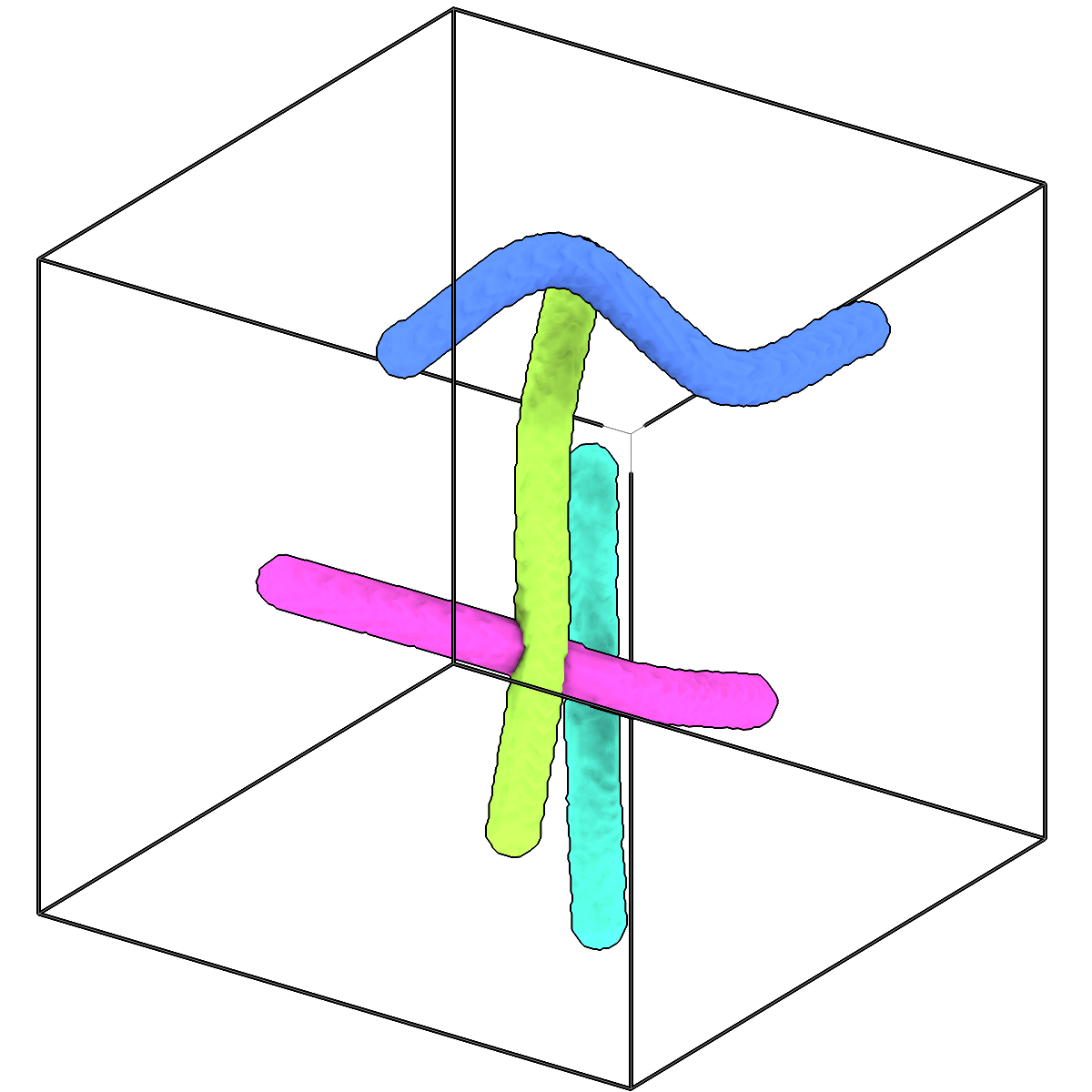
Paint tubes around filaments into an instance segmentation.
Usage
Description
Each filament becomes a tube around its centreline, labelled with the filament's ID, so the
result is an instance segmentation with the same IDs as the filaments and their picks.
A filament's tube radius is its own radius (copick convert seg2fil records the radius of
the segmentation it traced), otherwise --radius, otherwise the object's radius. Where
tubes overlap, each voxel goes to the nearest centreline. The segmentation has the shape of
the run's --tomo-type tomogram at the voxel spacing given in the output URI.
Useful for filaments drawn or edited by hand, or imported, that have no segmentation yet:
for example as per-filament masks, or as input to copick convert seg2fil.
URI Format
Filaments: object_name:user_id/session_id
Segmentations: name:user_id/session_id@voxel_spacing?instance=true
Options
| Option | Type | Default | Description |
|---|---|---|---|
-c, --config |
path | — | Path to the configuration file. |
--run-names, -r |
text · multiple | — | Specific run names to process (default: all runs). Repeatable; pass -r once per run. |
--debug / --no-debug |
boolean flag | False |
Enable debug logging. |
Input Options
| Option | Type | Default | Description |
|---|---|---|---|
--input, -i |
COPICK_URI | required | Input filaments URI (format: object_name:user_id/session_id). Supports glob patterns. |
Tool Options
| Option | Type | Default | Description |
|---|---|---|---|
--radius |
float | — | Tube radius in angstroms for filaments without their own radius. Unset: the object's radius. |
--tomo-type, -tt |
text | wbp |
Type of tomogram whose shape the segmentation takes. |
--workers, -w |
integer | 8 |
Number of worker processes. |
Output Options
| Option | Type | Default | Description |
|---|---|---|---|
--output, -o |
COPICK_URI | required | Output segmentation URI. Supports smart defaults (e.g., "membrane", "membrane/my-session", or "/my-session"). Full format: object_name:user_id/session_id@voxel_spacing. Append ?instance=true or ?panoptic=true to write those segmentation types. |
Examples
# Tubes of each filament's own radius, at 10 Å
copick convert fil2seg -i "microtubule:manual/1" -o "microtubule:tubes/1@10.0?instance=true"

# 125 Å tubes against a denoised tomogram
copick convert fil2seg -i "microtubule:manual/1" -o "microtubule:tubes/1@10.0?instance=true" \
    --radius 125 --tomo-type denoised
See also
copick convert seg2fil— trace filaments in a segmentationcopick convert fil2picks— sample picks along filamentscopick convert picks2seg— paint spheres around picks